Choose a reference with a clearly visible face. Decide on one outfit, one setting and a simple pose before adding extra detail.
A clear photo you are authorised to edit
A Navratri look from the collections below
A signed-in Gemini account with image editing available
Google says image-editing access depends on your account, age, region and available features. Check its current requirements before starting.
How to Use Navratri Prompts in Gemini in 3 Easy Steps
Open Gemini and add your reference
Sign in at gemini.google.com and use the available image-upload option. For a couple, add a clear shared photo or supported individual references.
Copy a prompt and personalise it
Pick an example below. Adjust the outfit, scene and pose to your taste. Keep the identity instruction and name which person each reference represents.
Generate, review and save your photo
Ask for the edit, then inspect the face, age, hands and clothing. Change one detail at a time if you need another version. Use the image’s download control and check the saved file before sharing it; output size and limits depend on your account.
Use one as a starting point, then make a small change that feels like you.
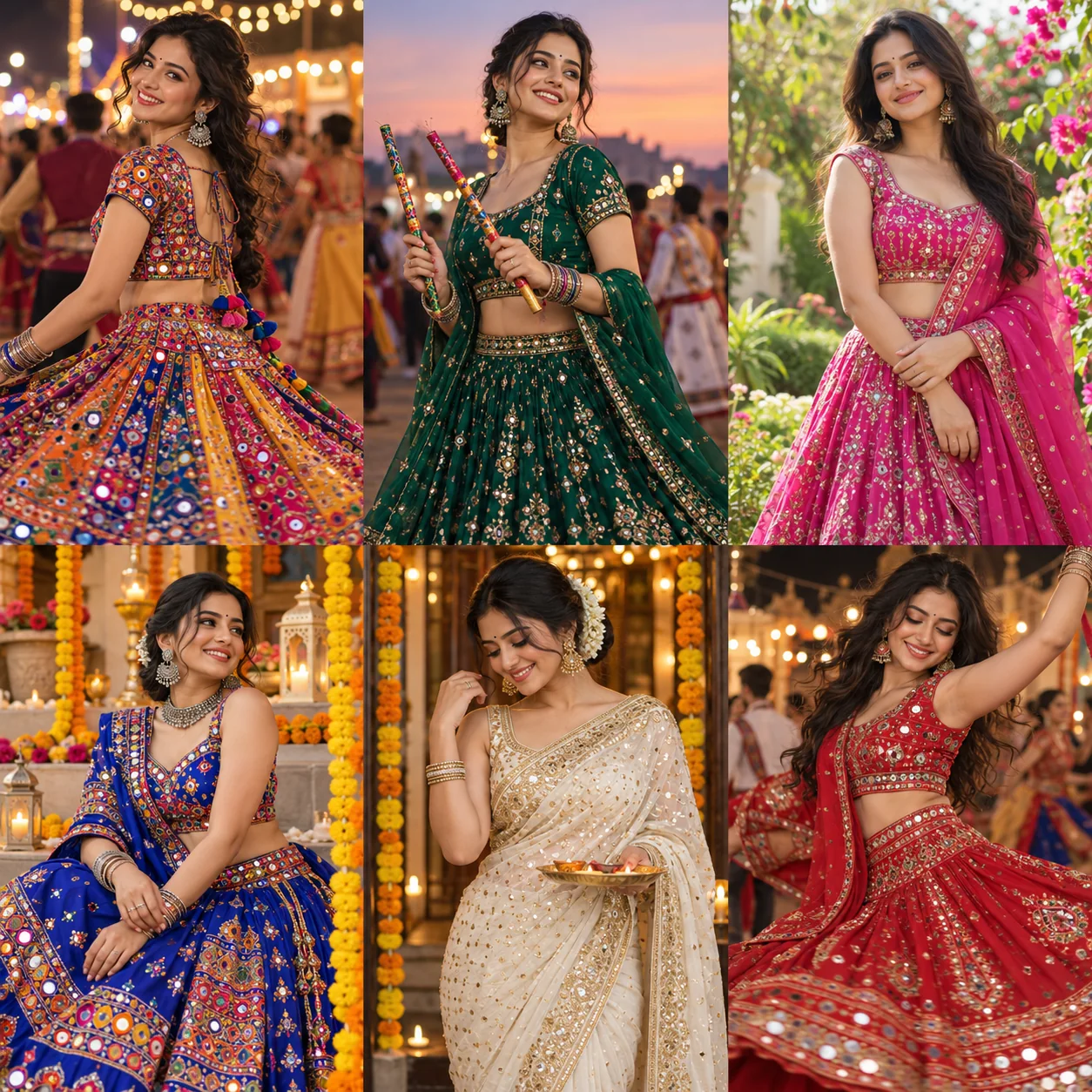
For girls & women
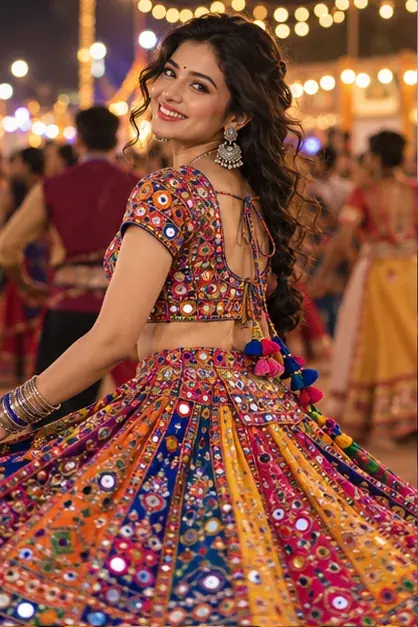
Mirror-work Garba night
Use the uploaded photo as the identity reference for a photorealistic Navratri portrait. Retain the person’s recognisable facial features, natural skin tone, age and proportions.
Outfit: a multicoloured mirror-work chaniya choli with an embroidered dupatta and light silver jewellery.
Setting: a Garba courtyard with warm string lights and marigold garlands.
Pose: a relaxed standing pose holding dandiya sticks.
Use soft natural light on the face, realistic fabric texture, accurate hands and a softly separated background.
Vertical 4:5 composition. No added text, logos or watermark.
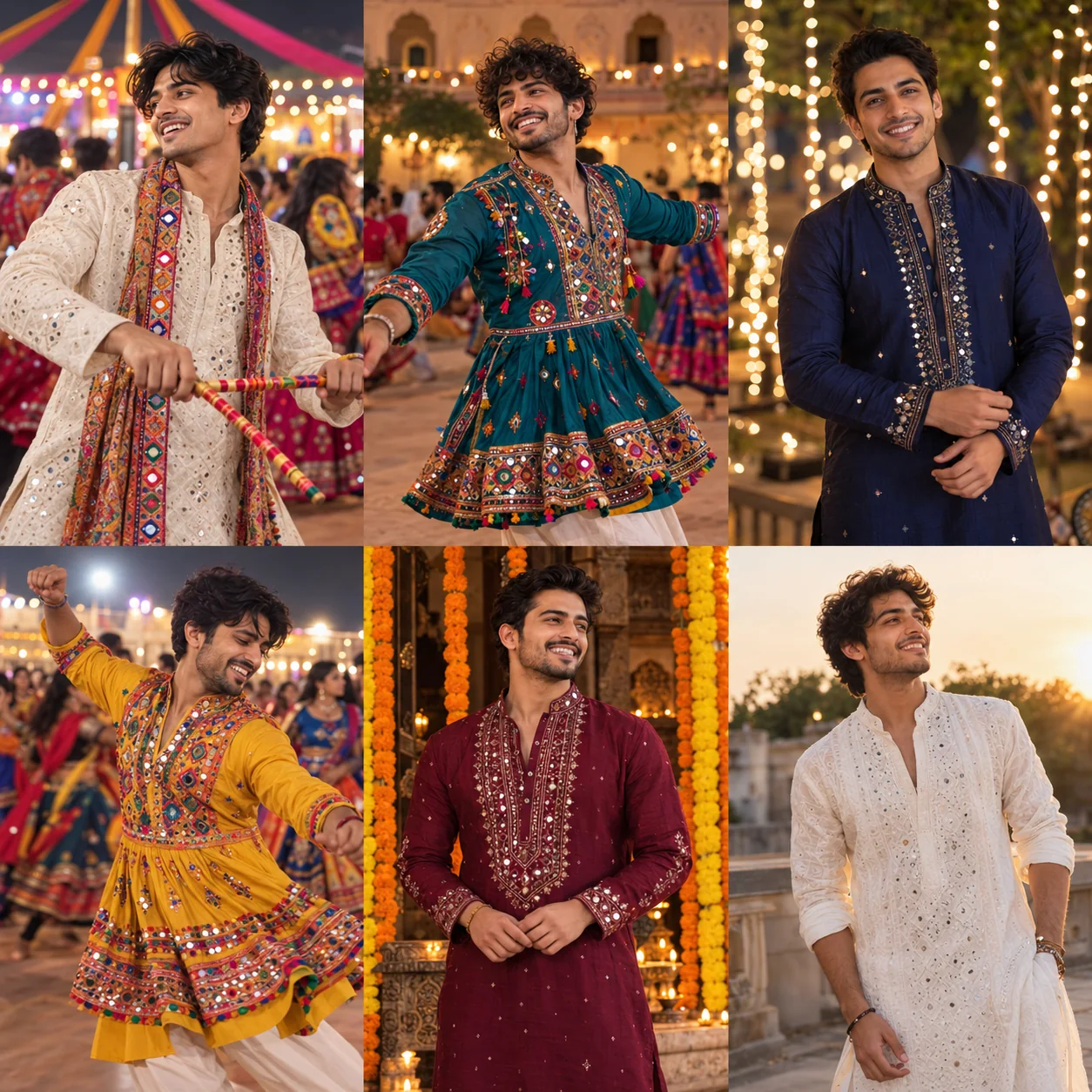
Use the uploaded photo as the identity reference for a photorealistic Navratri portrait. Retain the person’s recognisable facial features, natural skin tone, age and proportions.
Outfit: an ivory embroidered kurta with comfortable matching trousers.
Setting: a Garba venue with golden string lights.
Pose: a relaxed standing pose holding dandiya sticks at waist level.
Use soft natural light on the face, realistic fabric texture, accurate hands and a softly separated background.
Vertical 4:5 composition. No added text, logos or watermark.
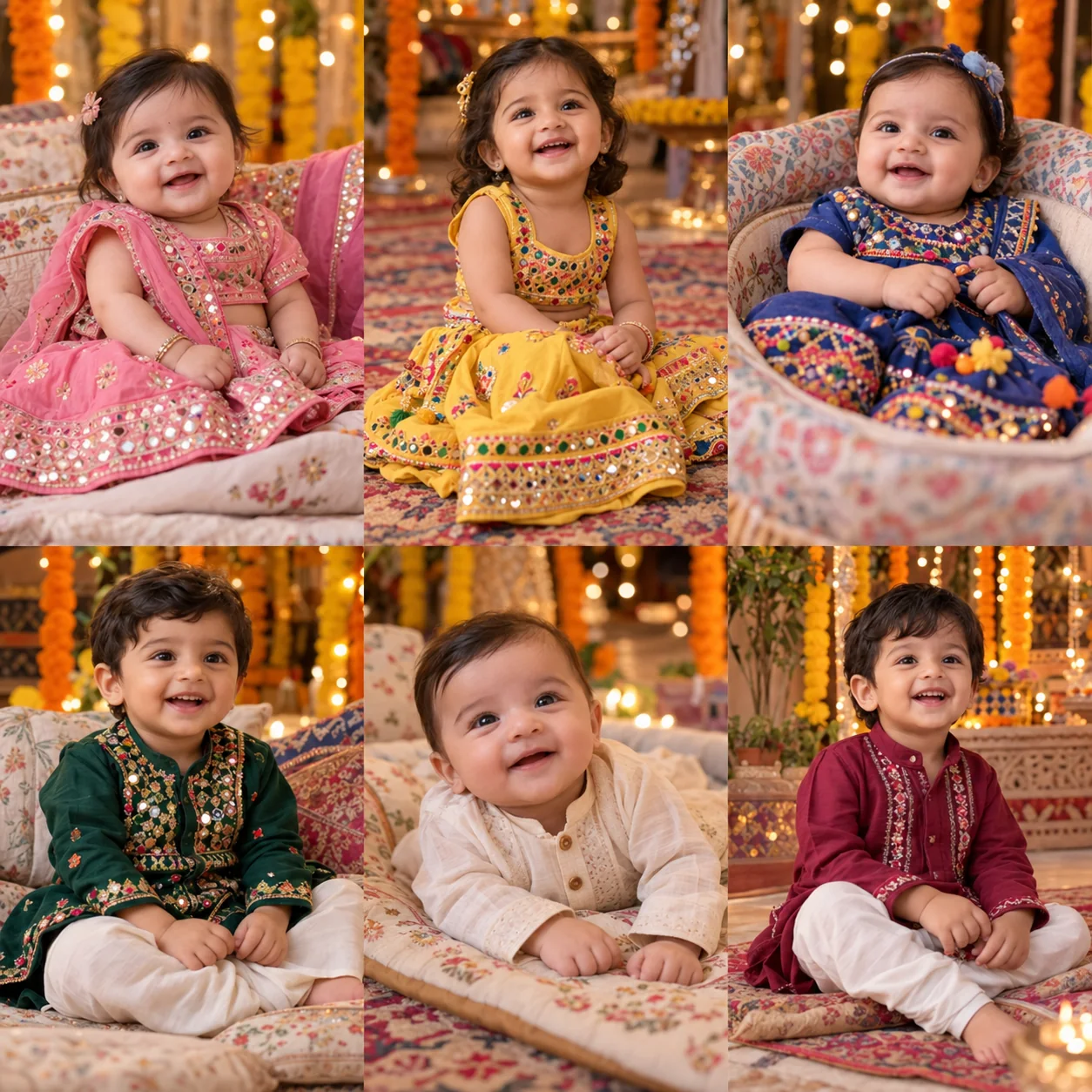
Use the uploaded photo as the identity reference for a photorealistic Navratri portrait. Retain the child’s recognisable facial features, natural skin tone, age and proportions.
Outfit: a comfortable pink miniature chaniya choli without heavy jewellery.
Setting: a cushioned seat with soft Navratri decorations in the background.
Pose: an age-appropriate supported seated pose.
Use soft natural light on the face, realistic fabric texture, accurate hands and a softly separated background.
Keep the child’s real age and natural proportions. No makeup, adult styling or heavy jewellery. Use a supported pose appropriate to the child’s real abilities, with lamps and small props out of reach.
Vertical 4:5 composition. No added text, logos or watermark.
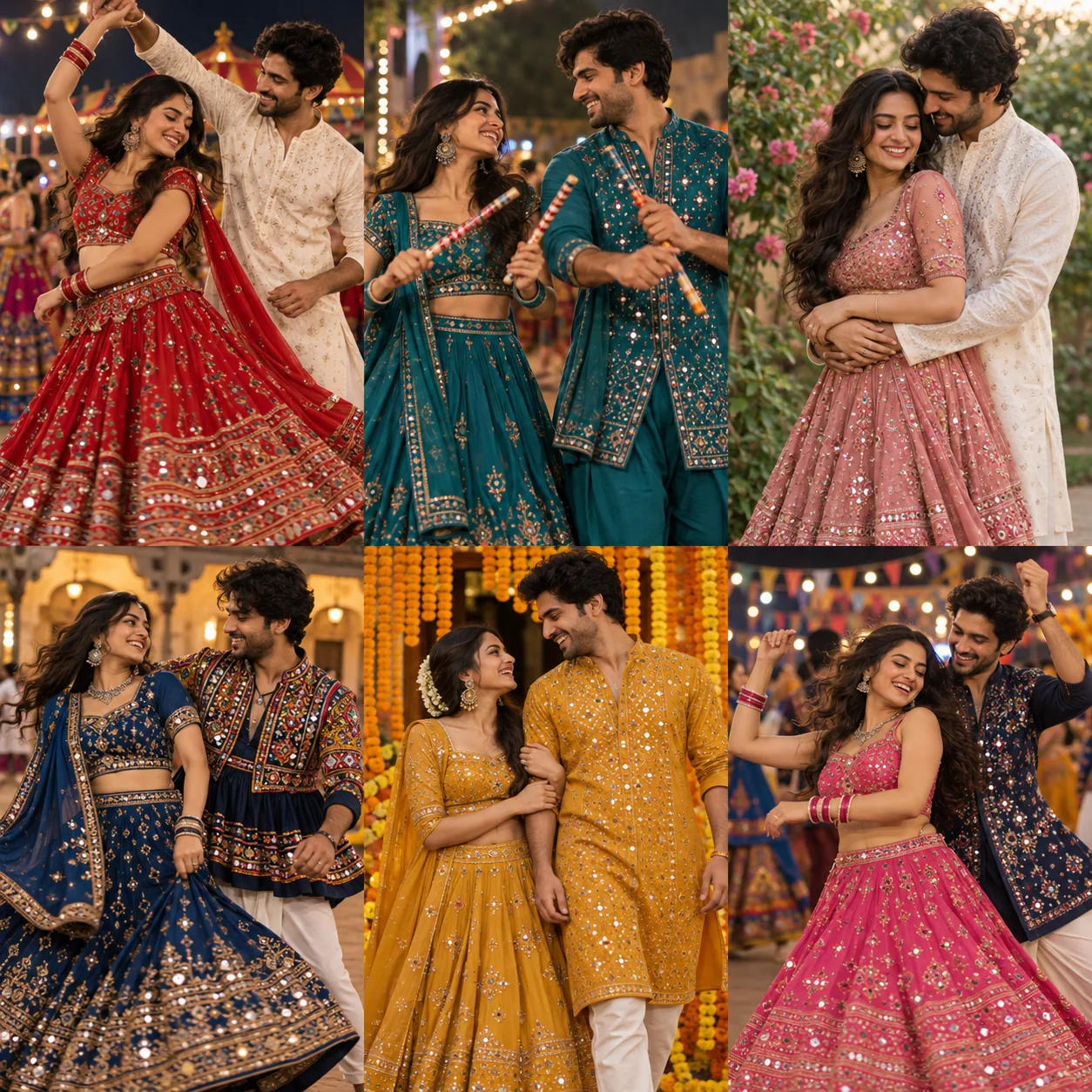
Use the uploaded couple photo, or the two labelled individual reference photos, to create a photorealistic Navratri portrait of exactly those two people. Keep the two identities distinct and retain each person’s recognisable facial features, natural skin tone and age.
Outfit: person one in a red lehenga and person two in an ivory kurta with coordinated red embroidery.
Setting: a Garba courtyard under golden string lights.
Pose: standing side by side, both faces visible with relaxed natural smiles.
Use soft natural light on the face, realistic fabric texture, accurate hands and a softly separated background.
Vertical 4:5 composition. No added text, logos or watermark.
Gallery images are AI-generated style illustrations. Templates have not yet been verified with the live generation model.
How to Fix Common Navratri AI Photo Problems
The face looks different
Use a clearer reference and simplify the pose. Ask for one correction: “Retain the recognisable face, age and skin tone from my reference. Change only the clothing and setting.”
The couple’s faces are mixed
Label each reference person one and person two. Give each person a separate outfit description and ask for both faces in clear focus.
The outfit is not right
Name one garment, its fabric and its colour. Remove conflicting descriptions before asking for another version.
The hands look unusual
Try a simpler pose with hands relaxed and separated. Add dandiya sticks only after the base portrait looks right.
The baby looks older
State the real age and request natural proportions, no makeup and a supported pose. Reject results that change the child’s apparent age.
The image cannot be created
Check the feature’s availability, your account limits and the editor’s explanation. Try a permitted, simpler request; do not attempt to bypass restrictions.
Gemini Navratri Prompts FAQs
A little guidance before your next festive portrait.
Use an image-editing feature available to your account. Model names and limits change, so check Google’s current help rather than relying on a name in an older tutorial.
Can I paste the same prompt for every person?+
Keep the general structure, but change the garment, pose and reference instructions. Couple and baby prompts need different details from an individual adult portrait.
Are the gallery images tested in Gemini?+
No. They are original AI style illustrations. They are not a promise of what Gemini, or our upcoming generator, will produce. Review each generated result yourself.
Is NavratriPrompt part of Google?+
No. This is an independent prompt collection and photo tool. Gemini and Google are names belonging to their respective owners.
Find Your Next Navratri Photo Prompt
Start with a style, then add the details that make it personal.